Video Commerce appearance: texts
Where in the dashboard: Video Commerce › Aparência
The Textos (Texts) area of Video Commerce › Aparência changes any text customers read in the showcases and the player, such as the buy button or the notice after adding to cart. You only write what you want to change; the rest stays as it is.
Change a text
Section titled “Change a text”-
In Aparência, click Textos.
-
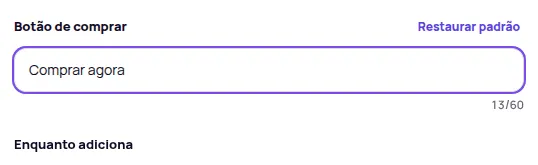
Find the text. Each field shows today’s text, greyed out, and its name says where it shows, such as Botão de comprar (Buy button) or Ver carrinho (View cart).
-
Write the new text. The counter shows how many characters still fit.
-
Check the preview and click Publicar (Publish) when you’re ready.
Some texts carry placeholders in braces, such as {title} (the video’s name), {price} (the price) or {count} and {amount} (the number and amount of the installments). Keep the placeholders. The hint below each field says what each one becomes and shows how the text will read, for example “ou 3x de R$ 63,30 sem juros” (or 3 interest-free payments of R$ 63.30).
Fields with (leitor de tela) (screen reader) in their name don’t show on screen. They are read aloud to people who browse with a screen reader, so write what the button does.
The texts of each moment
Section titled “The texts of each moment”| Moment | Texts |
|---|---|
| Na página (On the page) | The Highlight’s Assistir (Watch) button, the name of a showcase without a title, minimizing the bubble and the tab that shows the videos again, opening a video, the Explorar page’s filters and notices and the shoppable cards’ buttons. |
| Player | Player name, close, play, pause, mute, sound on, previous and next video, the title of the product list, the vertical feed’s Ver produtos (See products), the WhatsApp question texts, the video model line, Ver medidas (See measurements), the measurements and Descubra seu tamanho (Find your size). |
| Carrinho (Cart) | The variant label and choices, the buy button, the De (From), Por (Now) and A partir de (Starting at) prices, the discount badge, such as “25% OFF”, the interest-free installments, the Compre junto (Buy together) texts, the text while adding, Ver carrinho (View cart) and Continuar assistindo (Keep watching). |
| Mensagens (Messages) | The player notices: loading the video, when the video waits for play or starts muted, when playback stops or the video won’t open, and after adding to cart, when it couldn’t add or when the cart doesn’t confirm. |
The title above the videos and the subtitle belong to each showcase: change them in the showcase editor, in the Títulos (Titles) section. See Create and edit showcases. The label next to the bubble is in Elementos › Bolha.
Back to the default text
Section titled “Back to the default text”- Restaurar padrão (Restore default), on the field: takes that text back. Deleting the text does the same.
- Restaurar grupo (Restore group): takes every text of a moment back, such as Carrinho.
- Restaurar todos os textos (Restore all texts): takes all of them back.
If a text can’t be saved, the field says what to fix. Meanwhile, the draft keeps the last valid text.
Frequently asked questions
Can I change the Tecnologia por Provei.AI text?
No. That text doesn't change. On the Enterprise plan, you can remove the whole badge in Aparência › Marca.
How do I take a text back to the original?
Click Restaurar padrão (Restore default) on the field, or delete the text. Restaurar grupo takes a whole moment back and Restaurar todos os textos takes all of them back.