Shopper photos in the virtual try-on
The photo a shopper uploads to the try-on is used to generate the image with the product. In the dashboard, you only see the generated images.
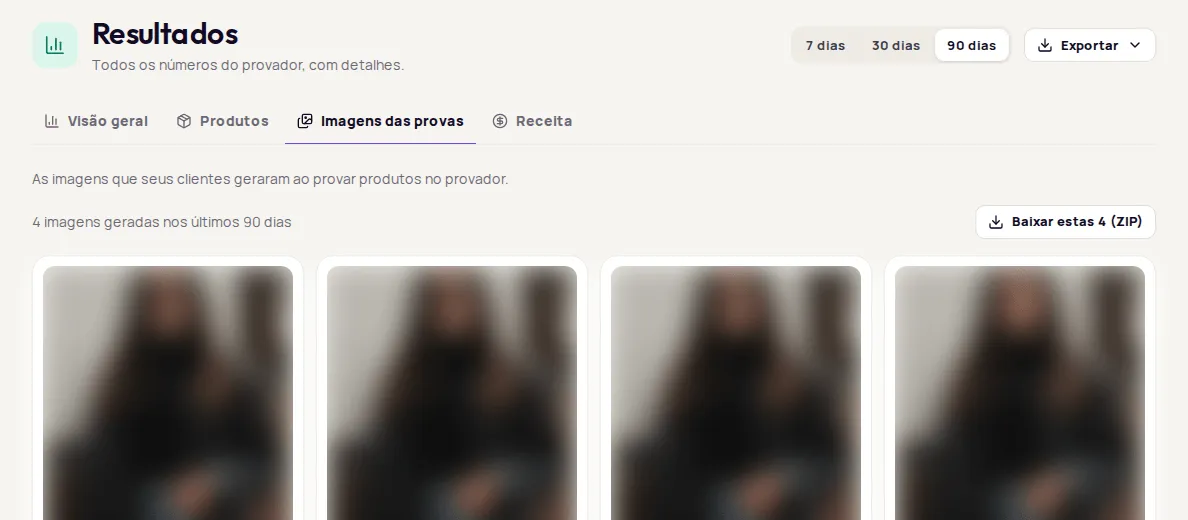
The photo a shopper uploads is kept for a short period for a quality check and then deleted. It doesn’t appear in the dashboard. The generated images stay in the store’s account, in Resultados › Imagens das provas (Results › Try-on images), until they’re deleted; there is currently no automatic expiration. Provei doesn’t verify the age of the people who use the try-on.
The photo’s path
Section titled “The photo’s path”- The shopper picks a photo on their device, in JPG, PNG, WebP or HEIC, up to 10 MB.
- Provei uses the photo to generate the image with the product. The photo is kept for a short period for a quality check and then deleted.
- The generated image appears in the try-on window, where the shopper can download or share it, and it stays in the store’s account.
When the shopper uses the advanced try-on or Find your size, the measurements they enter are saved in their own browser, for your store only.
What you see in the dashboard
Section titled “What you see in the dashboard”| Data | Where it appears |
|---|---|
| Images generated by shoppers | Resultados › Imagens das provas |
| Name, contact details and answers, when you ask for them | Clientes (Customers) |
| Number of try-ons per shopper | The customer’s profile in Clientes |
| Original photo uploaded by the shopper | Doesn’t appear in the dashboard; it’s deleted after a short period |
In Resultados › Imagens das provas, you can download the images as a ZIP file. Treat these files as your customers’ data: don’t publish them or use them in campaigns without the person’s permission.
Delete a customer’s data
Section titled “Delete a customer’s data”If a customer asks you to delete their data, open their profile in Clientes, tap Apagar dados (Delete data) and type EXCLUIR to confirm. The confirmation window says what gets deleted: Apagamos nome, contato, respostas, provas e histórico dessa pessoa na Provei. (We delete this person’s name, contact details, answers, try-ons and history at Provei.) The step-by-step guide is in Delete a customer’s data (LGPD).
The Apagar dados option is only available for identified customers.
More details
Section titled “More details”How Provei handles personal data is described in the Provei Privacy Policy. For your store’s responsibilities, see LGPD in your store.
Frequently asked questions
Are shoppers' photos stored?
The photo a shopper uploads is kept for a short period for a quality check and then deleted. The generated images stay in the store's account, in Resultados › Imagens das provas (Results › Try-on images), until they're deleted; there is currently no automatic expiration.
Can I see the photo the shopper uploaded?
No. The uploaded photo doesn't appear in the dashboard. You see the generated images, in Resultados › Imagens das provas (Results › Try-on images).
How do I delete the data of a customer who asked for it?
In Clientes (Customers), open the person's profile, tap Apagar dados (Delete data) and type EXCLUIR to confirm. The option is available for identified customers. Copies you sent to your CRM, WhatsApp or email have to be deleted there.