Turn products on and off in the try-on
An active product shows up in the try-on and in your store’s size features. An inactive product stays saved in the catalog, but Provei doesn’t show it to customers.
Turn one product on or off
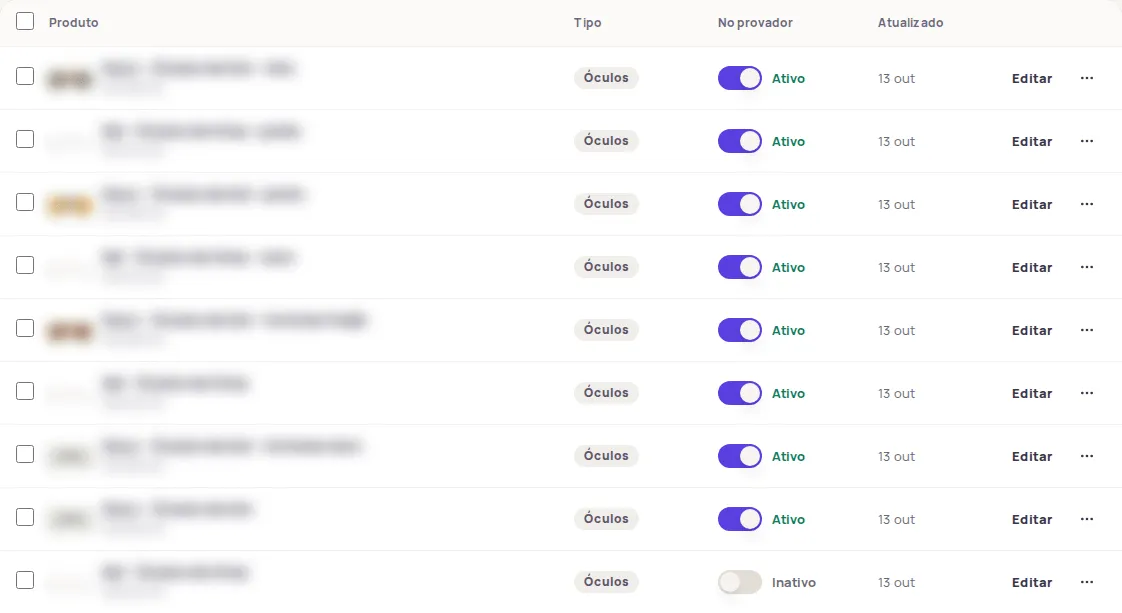
Section titled “Turn one product on or off”In Produtos › Catálogo (Products › Catalog), use the toggle in the No provador (In the try-on) column on the product’s row. The dashboard confirms it with a message such as “Vestido Midi” ativado no provador (“Vestido Midi” turned on in the try-on).
Open the product and use the toggle at the top of the page. It reads Ativo no provador (Active in the try-on) or Inativo (Inactive). The change takes effect right away, with no need to click Salvar (Save).
Turn several products on or off
Section titled “Turn several products on or off”- In Produtos › Catálogo, select the products. To include every product in the current search and filters, click Selecionar todos os (Select all), which shows the total.
- In the action bar, click Ativar (Activate) or Desativar (Deactivate).
- Read the message. If some products didn’t change, it tells you how many couldn’t be updated.
Your plan’s active product limit
Section titled “Your plan’s active product limit”Your plan sets how many products can be active at the same time. Below the number of active products, the Ativos (Active) card shows how many your plan allows, or Sem limite no seu plano (No limit on your plan).
When you reach the limit:
- When you turn a product on, you’ll see Limite de produtos ativos atingido! (Active product limit reached!), with your plan’s limit and how many products you already have active.
- In a bulk activation, products are turned on up to the limit. The rest show in the message as not updated.
- A new product added with the Um produto (One product) option starts out inactive.
To free up room, turn off products you no longer want in the try-on. To raise the limit, change plans in Conta › Plano e créditos (Account › Plan and credits).
If you see “Muitas alterações seguidas”
Section titled “If you see “Muitas alterações seguidas””The dashboard limits back-to-back changes to the catalog. If you see Muitas alterações seguidas. Aguarde um minuto e tente de novo. (Too many changes in a row. Wait a minute and try again.), wait a minute and repeat the action.
The product is active but doesn’t show in the store
Section titled “The product is active but doesn’t show in the store”Check that the Link do produto na loja (Product link in the store) is correct and points to the product page. See Product not found.
Frequently asked questions
Does turning a product off delete it?
No. The product stays in the catalog with its photos, details and size chart. It just stops showing in your store until you turn it back on.
Is there a limit on active products?
It depends on your plan. The Ativos (Active) card in Produtos › Catálogo (Products › Catalog) shows your plan's limit or Sem limite no seu plano (No limit on your plan).