Invite and manage your team
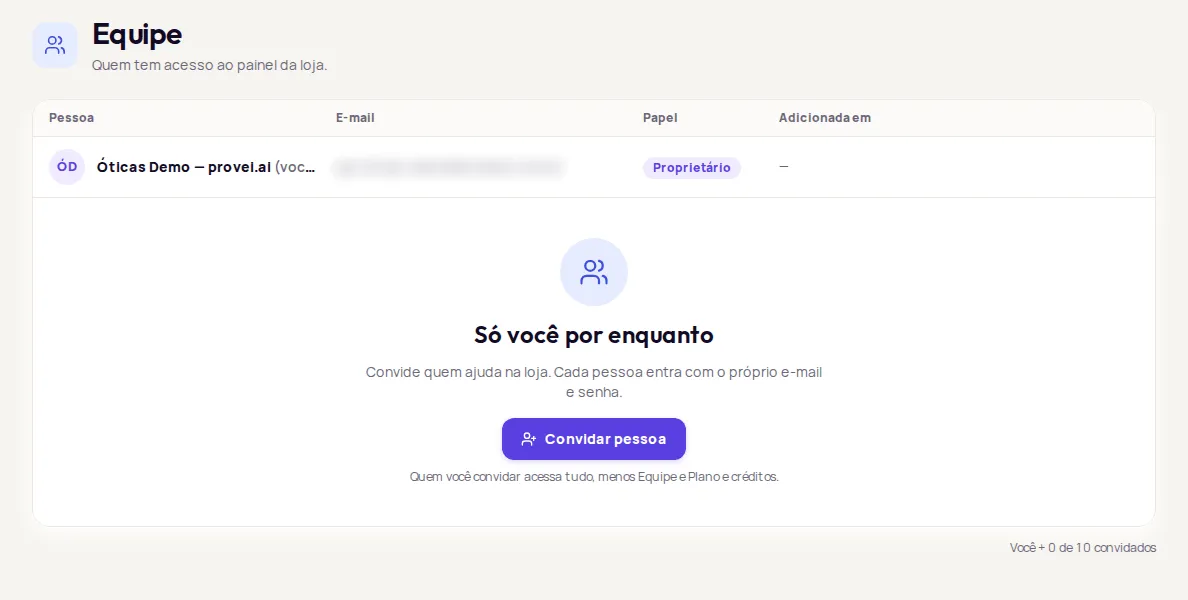
In Conta › Equipe (Account › Team), the account owner invites people to use the store’s dashboard. Each person logs in with their own email and password. Anyone you invite can access everything except Equipe (Team) and Plano e créditos (Plan and credits).
Invite someone
Section titled “Invite someone”-
In Conta › Equipe, click Convidar pessoa (Invite person).
-
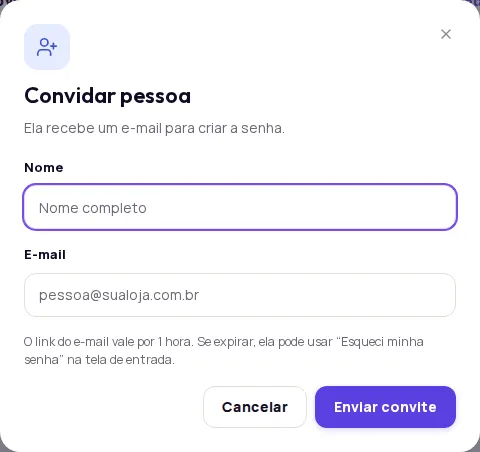
Fill in Nome (Name) and E-mail (Email) and click Enviar convite (Send invitation).
-
The person gets an email with a link to create their password. The email itself says how long the link is valid.
If the link expires, the person can request a new one from the Esqueceu a senha? (Forgot your password?) screen on the login page, with the same email, or you can use Redefinir senha (Reset password).
Messages when you invite someone
Section titled “Messages when you invite someone”- Este e-mail já tem uma conta na Provei. Use outro. (This email already has a Provei account. Use another one.): each email can only belong to one account. Use another address for that person.
- …entrou na equipe, mas o e-mail não saiu. (…joined the team, but the email wasn’t sent.): the person has already been added. Use Redefinir senha to create a password and send it to them.
- Limite atingido (Limit reached): your account has reached the maximum number of guests shown on screen. Remove someone to invite another person.
What each role can access
Section titled “What each role can access”| Role | Can access |
|---|---|
| Proprietário (Owner) | Everything, including Equipe and Plano e créditos. |
| Membro (Member) | Everything except Equipe and Plano e créditos. |
Some actions stay with the owner only, even on screens the team can see: connecting or changing the Tallos account for WhatsApp, and connecting or changing Google Analytics.
Reset someone’s password
Section titled “Reset someone’s password”Use this when the person forgot their password or the invitation email didn’t arrive.
-
On the person’s row, click Redefinir senha (Reset password).
-
Confirm. The current password stops working right away.
-
Copy the temporary password with Copiar senha (Copy password). It is shown only this once.
-
Send the password to the person through a secure channel. They can change it after logging in.
Remove someone
Section titled “Remove someone”-
On the person’s row, click Remover (Remove).
-
Confirm with Remover.
The person loses access to the dashboard right away. To come back, they’ll need a new invitation.
Frequently asked questions
What can an invited person access?
Anyone you invite can access everything except Equipe (Team) and Plano e créditos (Plan and credits).
The person I invited didn't get the email. What do I do?
Ask them to check their spam folder. If it isn't there, use Redefinir senha (Reset password) on their row to create a temporary password and send it through a secure channel.
How many people can I invite?
The Equipe screen shows how many guests you have and your account's limit, for example Você + 3 de 10 convidados (You + 3 of 10 guests).