Results by product
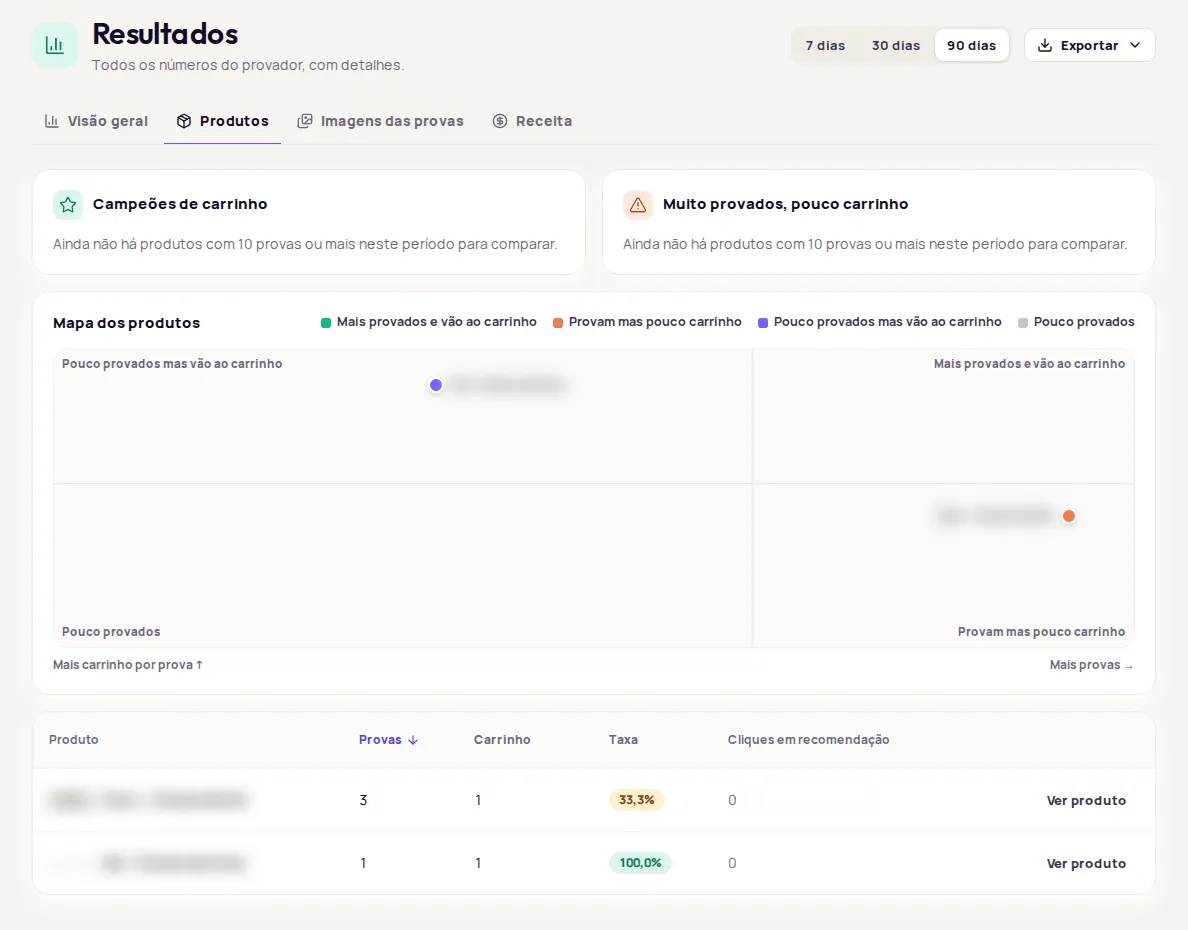
The Produtos (Products) tab shows how each product does after a try-on: which ones go to the cart and which need attention. To open it, go to Resultados › Produtos (Results › Products).
Cart champions
Section titled “Cart champions”Campeões de carrinho (Cart champions) lists the products with the highest add-to-cart rate per try-on in the period. Only products with 10 or more try-ons are included.
Tried on a lot, few add-to-carts
Section titled “Tried on a lot, few add-to-carts”Muito provados, pouco carrinho (Tried on a lot, few add-to-carts) lists products that are tried on often but convert at less than 70% of the store average. The average appears next to the notice. For these products, review the photo, price and available sizes.
Product map
Section titled “Product map”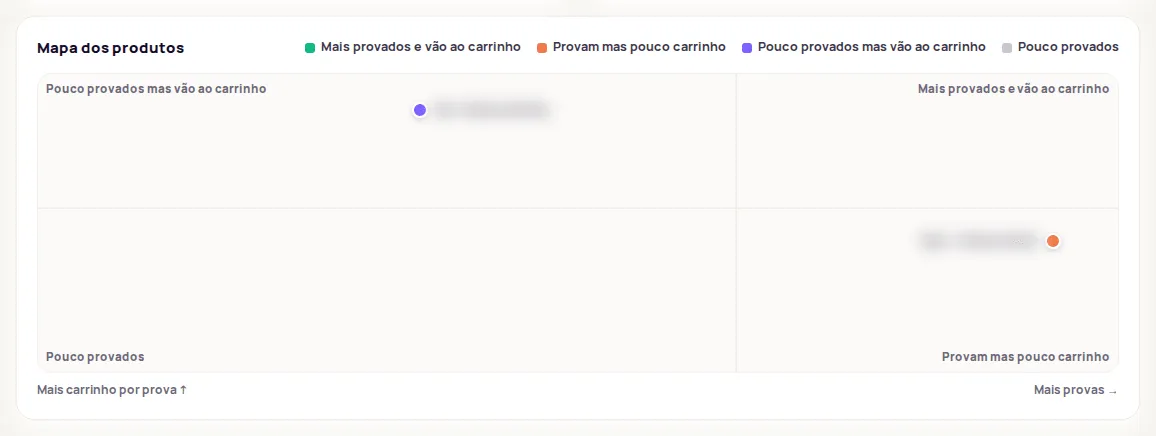
The Mapa dos produtos (Product map) places each product on a chart: more try-ons to the right, more add-to-carts per try-on toward the top. The lines split the map at the median number of try-ons and at the store’s average rate, forming four groups:
| Group | What it means |
|---|---|
| Mais provados e vão ao carrinho (Tried on most and go to cart) | Strong products. |
| Provam mas pouco carrinho (Tried on but few add-to-carts) | Opportunities: lots of people try them on, few buy. |
| Pouco provados mas vão ao carrinho (Rarely tried on but go to cart) | Promising products that could get more visibility. |
| Pouco provados (Rarely tried on) | Products with little try-on use. |
Hover over a dot to see the name, the try-ons and the rate. Click it to open the product.
Product table
Section titled “Product table”The table lists every product tried on in the period, with Provas (Try-ons), Carrinho (Cart), Taxa (Rate) and Cliques em recomendação (Recommendation clicks). Click a column name to sort from highest to lowest. Use Ver produto (View product) to open the product’s page in the dashboard.
With no try-ons in the period, the tab shows Nenhum produto provado neste período (No products tried on in this period). Try a longer period.
Frequently asked questions
Why doesn't a product show up in Campeões de carrinho?
The highlights only include products with 10 or more try-ons in the period. With fewer try-ons, the rate swings too much to compare.
How is each product's rate calculated?
It is the number of add-to-carts divided by the number of try-ons for that product in the period.