Product photo requirements
The try-on uses the product’s first photo. A sharp, front-facing photo that shows the whole product gives a more accurate result. This page covers the product photos you add, not the photo your customer uploads.
Formats and limits
Section titled “Formats and limits”- Formats: JPG, PNG or WebP.
- Up to 8 MB per photo.
- Up to 20 photos per product.
- At least one photo. A product can’t be left without a photo.
If you upload several large photos at once and the dashboard warns that together they’re over the limit, save the ones that went through and upload the rest afterward.
Choose the main photo
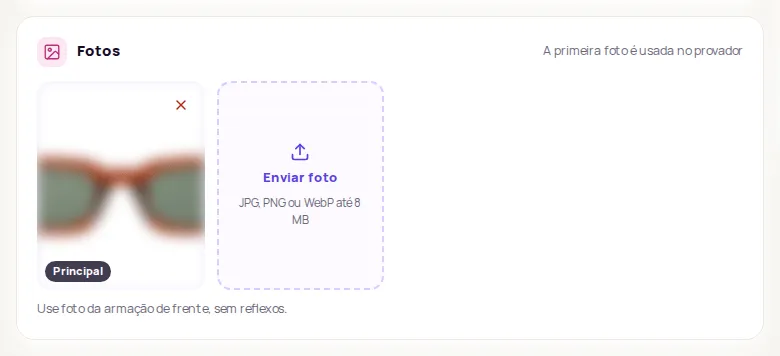
Section titled “Choose the main photo”The photo marked Principal (Main) is the one the try-on uses.
- Open the product in Produtos › Catálogo (Products › Catalog) and click Editar (Edit).
- In the Fotos (Photos) card, click the star on the photo you want as the main one.
- Click Salvar (Save).
Tips by product type
Section titled “Tips by product type”Clothing
Section titled “Clothing”- Light background, whole garment, from the front.
- Show the garment’s drape and silhouette.
- Detail shots (fabric, finish) are welcome as extra photos, not as the main one.
Eyewear
Section titled “Eyewear”- Frame from the front, with no reflections.
- The whole frame on a neutral background, with both lenses, the bridge and the temples, nothing cropped.
- Side or top views help as extra photos.
- Avoid as the main photo: a model wearing the glasses, a close-up of just the lens or logo, a photo of the box or case.
See also Eyewear try-on.
Furniture
Section titled “Furniture”- Product photo with no background, from the front, in good resolution.
- Show the whole piece, with its shape and proportions visible.
- Room photos only help when the piece is clear and easy to identify.
Flooring
Section titled “Flooring”- Put the material photo first and the installed floor photo after it.
- The material photo should clearly show the pattern, grain, color and grout.
Wall coverings
Section titled “Wall coverings”- Put the material photo first and the finished wall photo after it.
- The material photo should show the color, finish and texture accurately.
Avoid in any category
Section titled “Avoid in any category”- Banners with a lot of text.
- A photo of only the packaging when there’s a photo of the product.
- A product that’s cropped or covered by other objects.
- Repeated photos from the same angle.
Frequently asked questions
Which photo does the try-on use?
The product's first photo, marked as Principal (Main). You can change the main photo on the product page.
Which photo formats are accepted?
JPG, PNG and WebP, up to 8 MB per photo and up to 20 photos per product.