Try-on customers and contacts
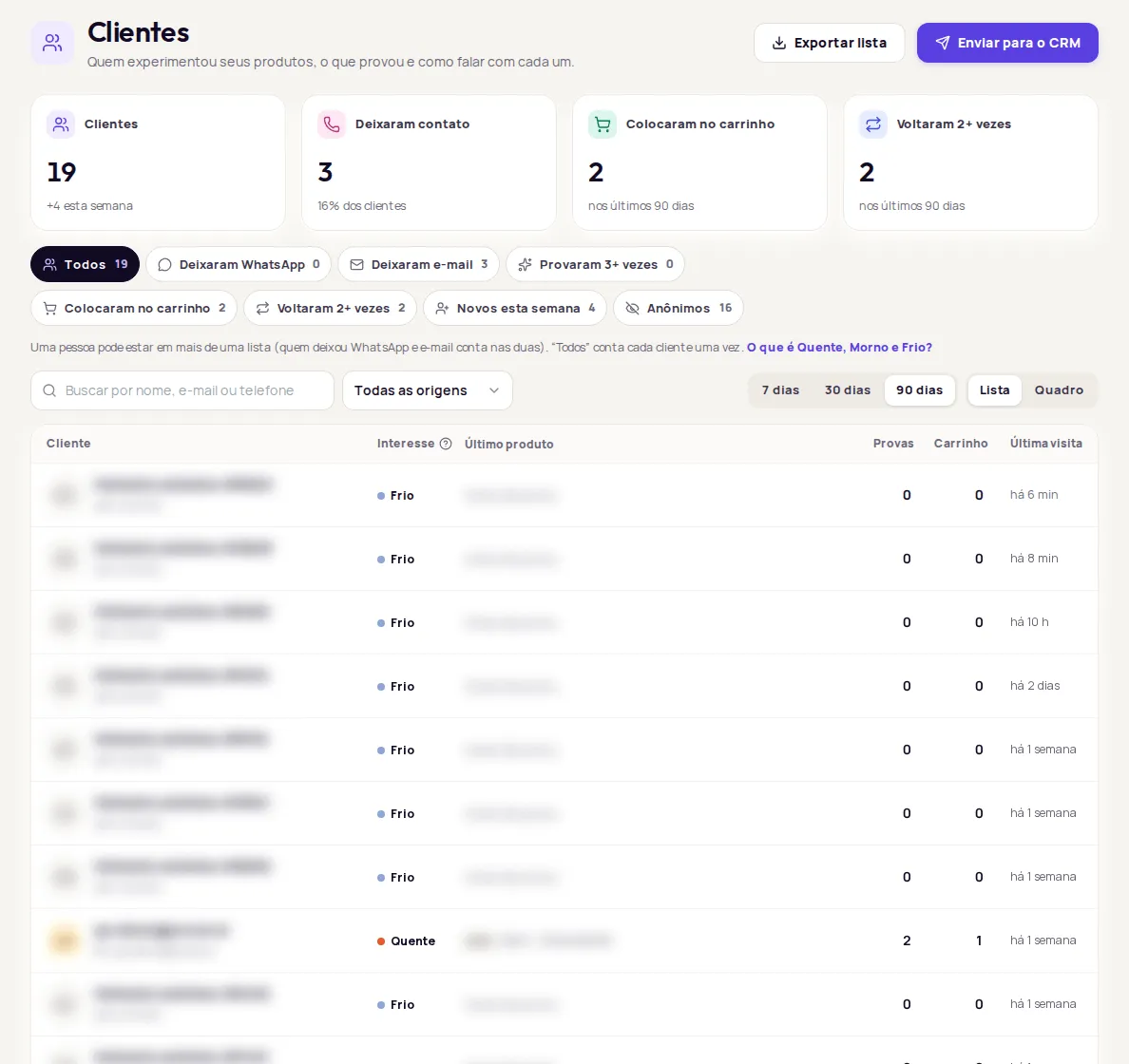
The Clientes (Customers) screen shows who tried on your products, what each person tried and how to reach them. To open it, click Clientes in the dashboard side menu.
What’s on the screen
Section titled “What’s on the screen”- Numbers for the period: Clientes (Customers), Deixaram contato (Left contact), Colocaram no carrinho (Added to cart) and Voltaram 2+ vezes (Came back 2+ times).
- Ready-made lists to filter by, such as Deixaram WhatsApp (Left WhatsApp) or Provaram 3+ vezes (Tried on 3+ times).
- Search by name, email or phone, an Origem (Source) filter and a period of 7, 30 or 90 days.
- Two views: Lista (List) and Quadro (Board).
- Each customer’s profile, with what they tried on, their answers and their history.
See the details in Customer list.
What you can do
Section titled “What you can do”| Action | Where | Guide |
|---|---|---|
| Reach the customer on WhatsApp or by email | Customer profile | Customer list |
| Export the list as a spreadsheet | Exportar lista (Export list), at the top | Customer list |
| Send contacts to RD Station CRM | Enviar para o CRM (Send to CRM) | Send to CRM |
| Delete a person’s data | Apagar dados (Delete data), in the profile | Delete data (LGPD) |
Where the contacts come from
Section titled “Where the contacts come from”Name, email and WhatsApp only show up when the customer leaves their details before trying on. You choose this in Experiência na loja › Regras (In-store experience › Rules). See Access rules and contact capture.
People who try on without leaving details show up as Visitante anônimo (Anonymous visitor), with a number.
Frequently asked questions
Why do some customers show up as Visitante anônimo?
Visitante anônimo (Anonymous visitor) is someone who used the try-on without leaving a name or contact. To collect contacts, ask for details before the try-on in Experiência na loja › Regras (In-store experience › Rules).