Customer list, filters and profiles
The Clientes (Customers) screen lists who used the try-on in the period, with what each person tried on and how to reach them. You filter by ready-made lists, search by contact and open each customer’s profile.
Choose the period and the view
Section titled “Choose the period and the view”At the top of the screen:
- In Período (Period), choose 7 dias, 30 dias or 90 dias (7, 30 or 90 days). The default is 30 days.
- In Visualização (View), choose Lista (List) or Quadro (Board).
The numbers at the top (Clientes (Customers), Deixaram contato (Left contact), Colocaram no carrinho (Added to cart) and Voltaram 2+ vezes (Came back 2+ times)) are for the period you picked.
Filter by list
Section titled “Filter by list”Use the ready-made lists above the table:
| List | Who shows up |
|---|---|
| Todos (All) | Every customer in the period. |
| Deixaram WhatsApp (Left WhatsApp) | People who gave a WhatsApp number. |
| Deixaram e-mail (Left email) | People who gave an email. |
| Provaram 3+ vezes (Tried on 3+ times) | People who did three try-ons or more. |
| Colocaram no carrinho (Added to cart) | People who added a product to the cart. |
| Voltaram 2+ vezes (Came back 2+ times) | People who came back to the store twice or more. |
| Novos esta semana (New this week) | People who arrived this week. |
| Anônimos (Anonymous) | People who tried on without leaving a name or contact. |
Search and filter by source
Section titled “Search and filter by source”- In the search field, type a name, email or phone number.
- In Origem (Source), choose where the customer came from: Instagram, Facebook, Google, E-mail (Email), Direto (Direct) or Outros sites (Other sites).
When there are more customers, click Carregar mais (Load more) at the end of the list.
Read the list
Section titled “Read the list”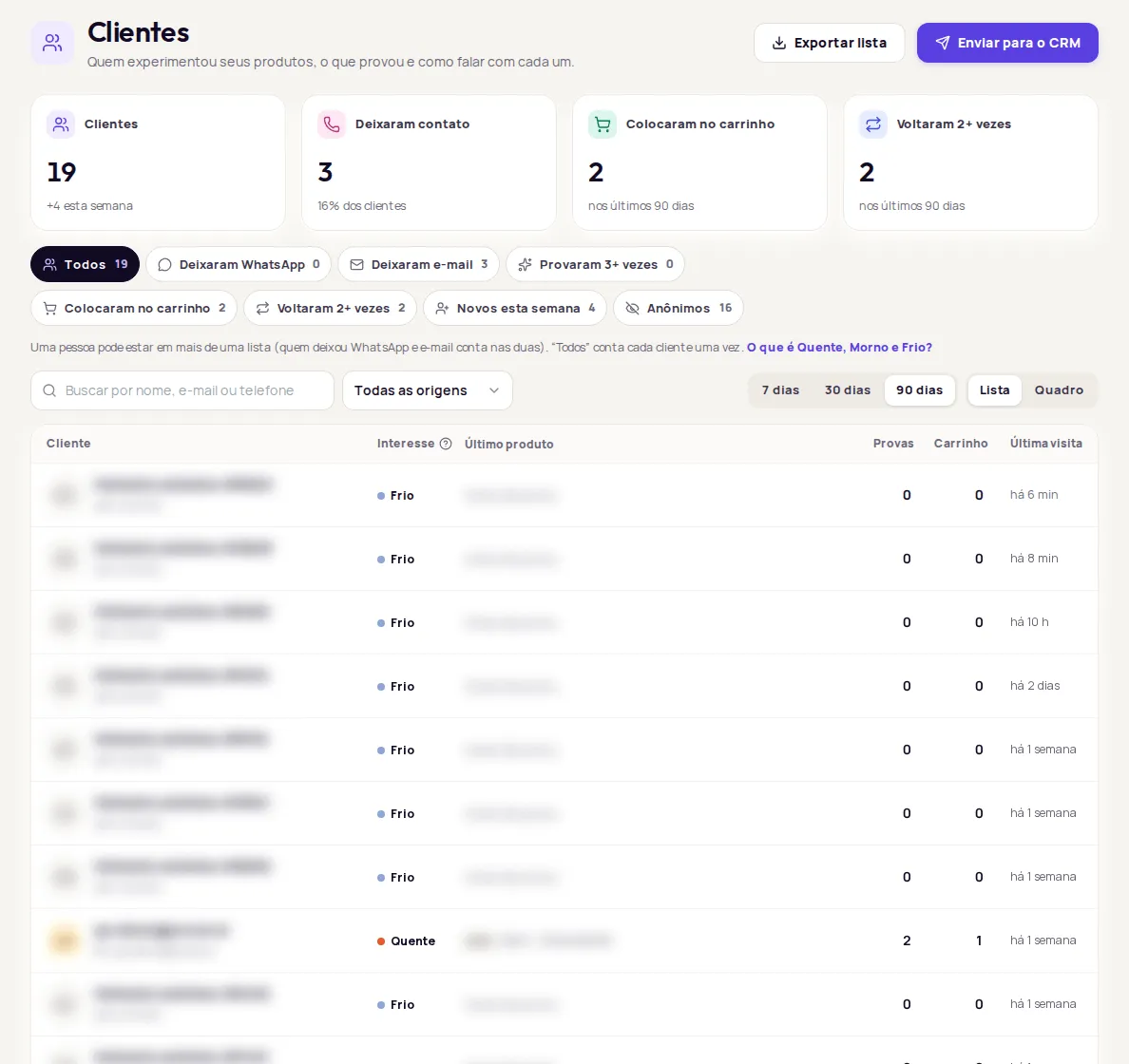
The Lista view shows, for each person: Cliente (Customer: name or contact), Interesse (Interest), Último produto (Last product), Provas (Try-ons), Carrinho (Cart) and Última visita (Last visit).
Interest: Quente, Morno and Frio
Section titled “Interest: Quente, Morno and Frio”Every customer gets an interest tag. Click O que é Quente, Morno e Frio? (What are Hot, Warm and Cold?) to see the rule on screen.
| Tag | Rule |
|---|---|
| Quente (Hot) | Added to cart and visited the store in the last 14 days, or tried on 5 times or more. |
| Morno (Warm) | Tried on 2 to 4 times, with no recent cart. |
| Frio (Cold) | Tried on once or not at all, with no recent cart. |
It is a tag per person, not a list: someone Quente may not be in Provaram 3+ vezes.
Use the Board
Section titled “Use the Board”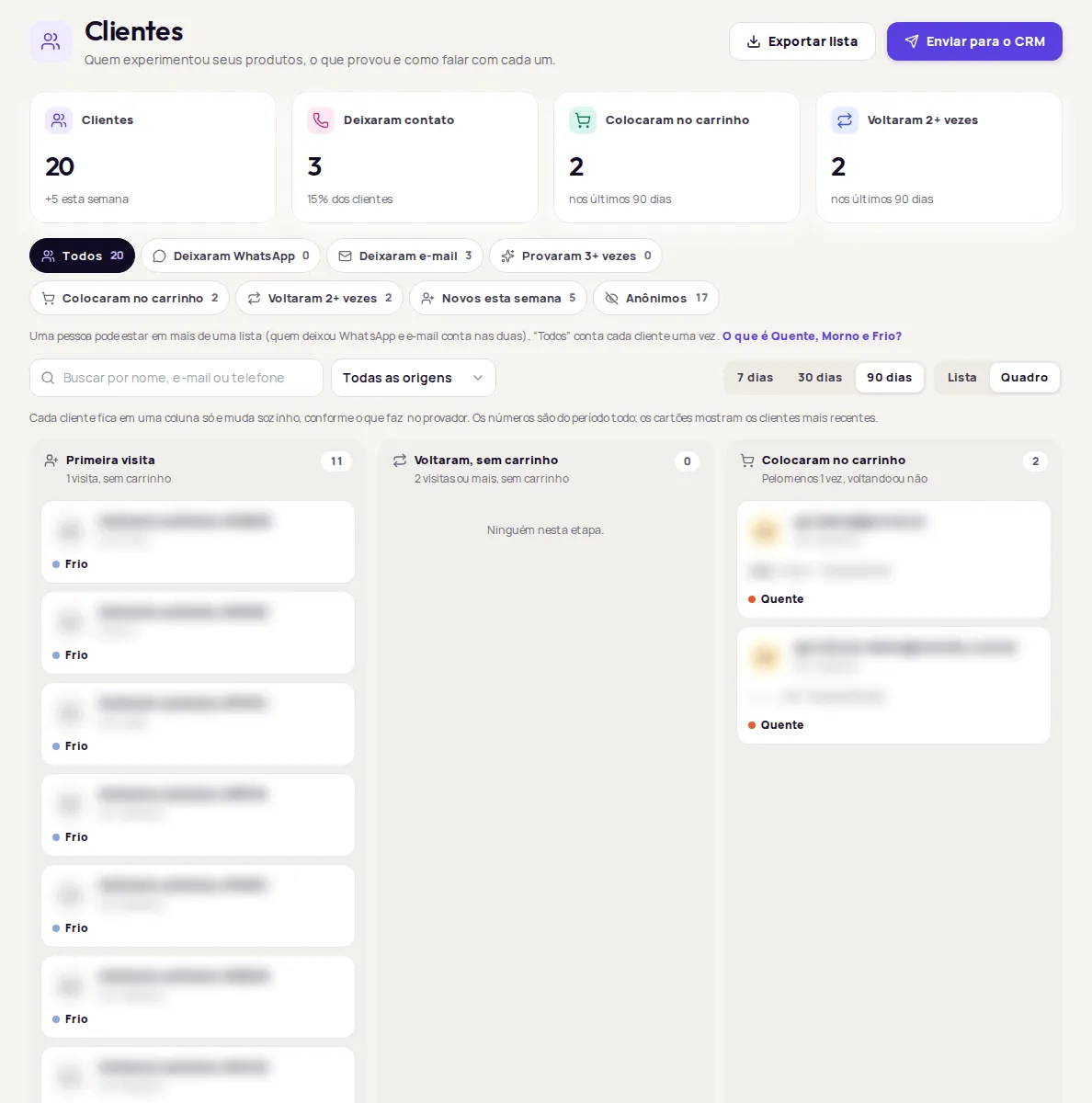
The Quadro view splits customers into three stages:
| Column | Rule |
|---|---|
| Primeira visita (First visit) | 1 visit, no cart. |
| Voltaram, sem carrinho (Came back, no cart) | 2 visits or more, no cart. |
| Colocaram no carrinho (Added to cart) | At least once, whether they came back or not. |
The totals in each column are for the period. The cards show the most recent customers.
Open a customer’s profile
Section titled “Open a customer’s profile”Click a person in the list or on the board. The profile shows:
- Where the person came from, how long they have been a customer and, if they used more than one device, how many devices.
- The interest tag and the totals for Provas (Try-ons), Carrinho (Cart) and Visitas (Visits).
- The WhatsApp and E-mail buttons to reach the person, when they left those contacts.
- Whether the person agreed to receive marketing contact (see below).
- The products they tried on, with a cart mark.
- Respostas no provador (Answers in the try-on), with their answers to your custom questions.
- Their history: when they opened the try-on, tried on, left a contact or added to cart.
The Mais ações do cliente (More customer actions) menu, behind the three dots, holds Enviar para o CRM (Send to CRM) and Apagar dados (Delete data).
Consent to marketing contact
Section titled “Consent to marketing contact”When customers leave their details, they can tick a box agreeing to marketing contact. The profile shows:
- Autorizou receber contato de marketing em (Agreed to marketing contact on) followed by a date: you can send news and offers through the contacts this person left.
- Sem autorização registrada (No consent on record): you can answer questions, but avoid sending offers.
Export the list
Section titled “Export the list”-
Choose the period and the list you want to export. Leave Origem set to Todas as origens.
-
Click Exportar lista (Export list).
-
Open the CSV file in a spreadsheet.
Frequently asked questions
What do Quente, Morno and Frio mean?
They are an interest tag per person (hot, warm and cold). Quente added to cart and visited the store in the last 14 days, or tried on 5 times or more. Morno tried on 2 to 4 times, with no recent cart. Frio tried on once or not at all, with no recent cart.
Why can't I export with the source filter on?
The Origem (Source) filter only applies to customers already loaded on the screen. To export or send to the CRM, use Todas as origens (All sources).
Can I send offers to anyone on the list?
Only to people who agreed to receive marketing contact. The profile shows whether the person agreed. With no consent on record, you can answer questions, but avoid sending offers.