Popups that know what the shopper did
Provei Popups appear on your store for shoppers who tried on a garment, found their size or watched a video, and they also do the usual jobs: a welcome coupon, free shipping, a WhatsApp list. You build them in the Provei dashboard, from templates, with no code.
- Available now, from R$ 59 a month
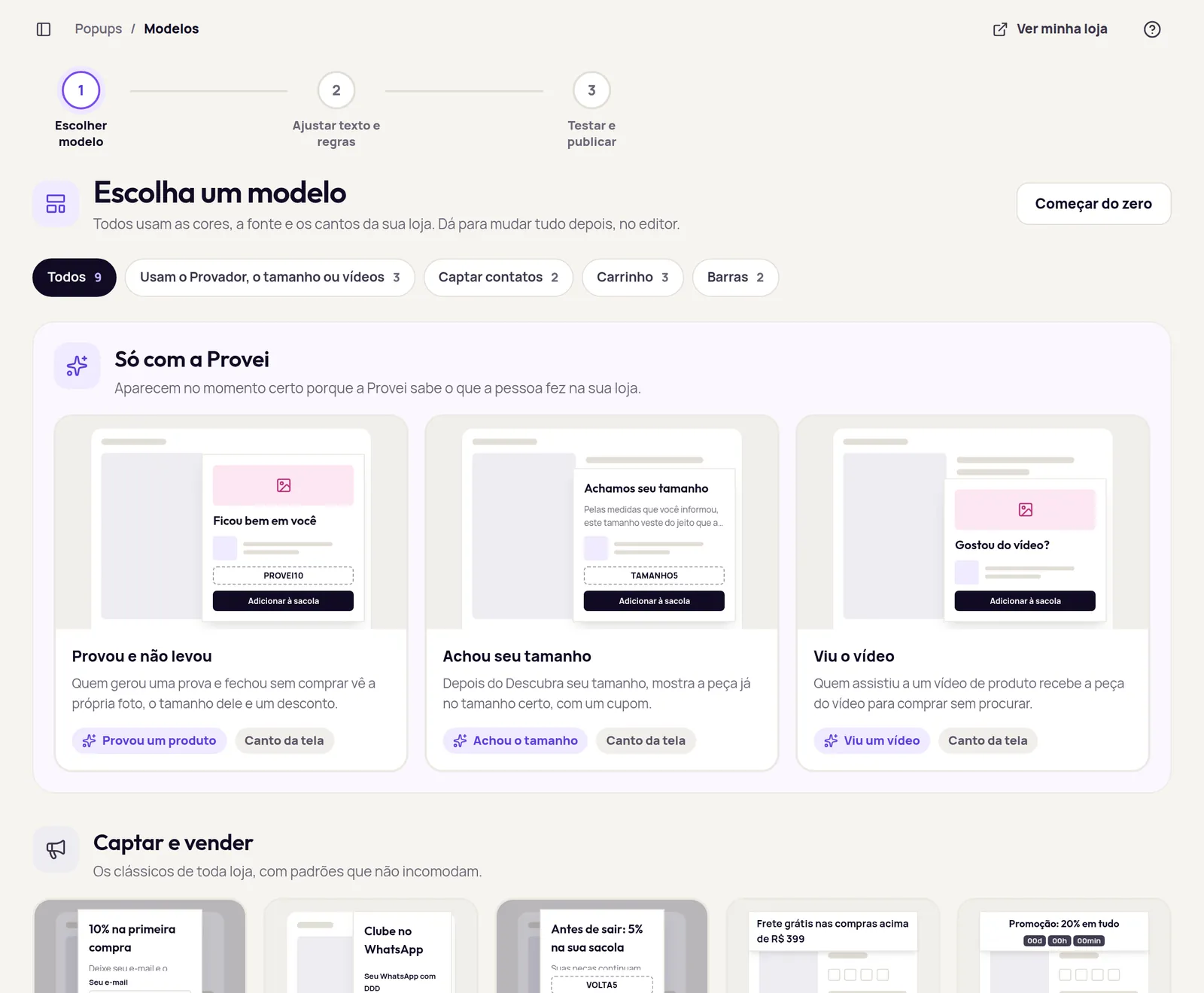
- 9 ready-made templates, 3 of them driven by Provei signals
- Uses your store’s colours, font and corners
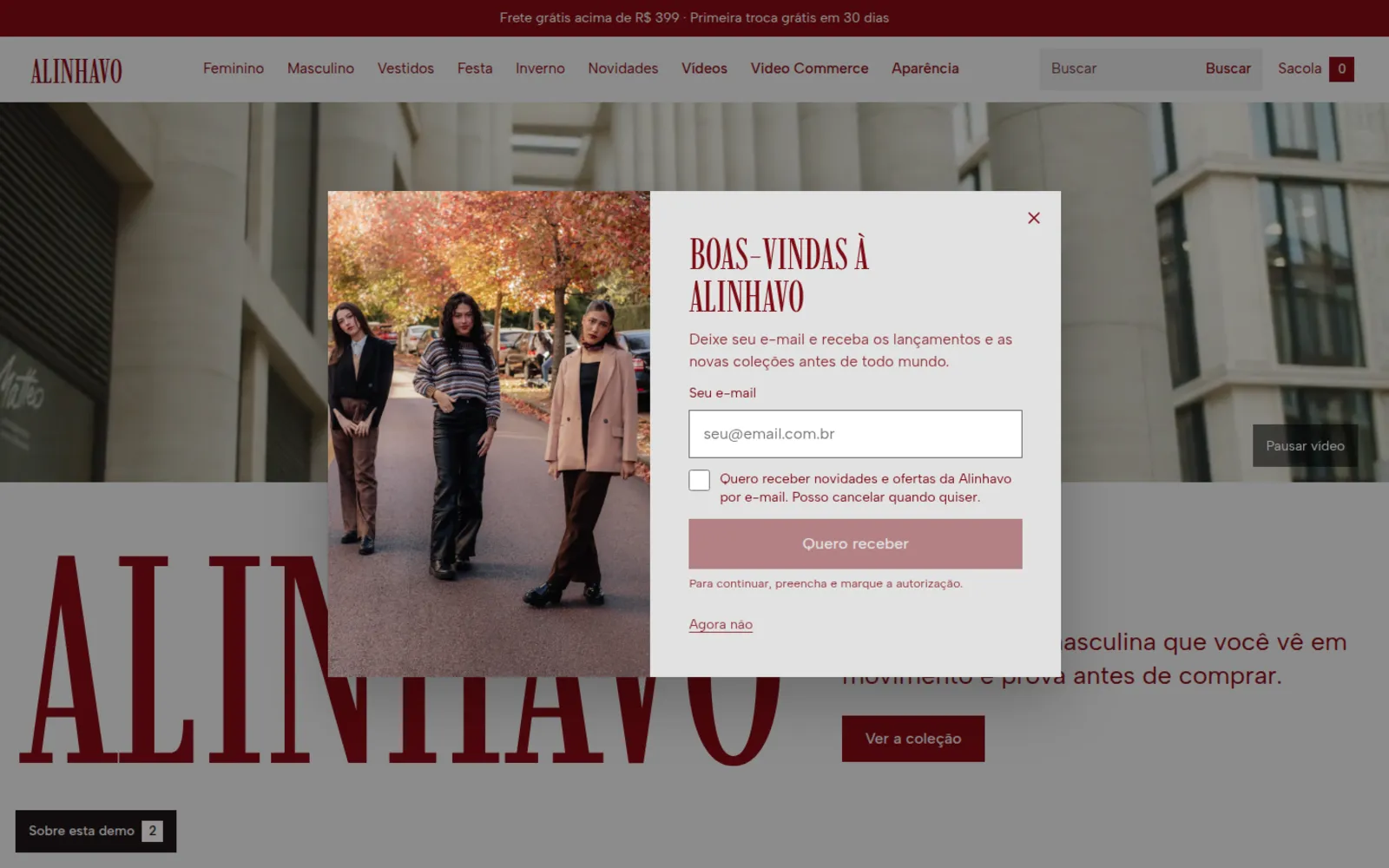
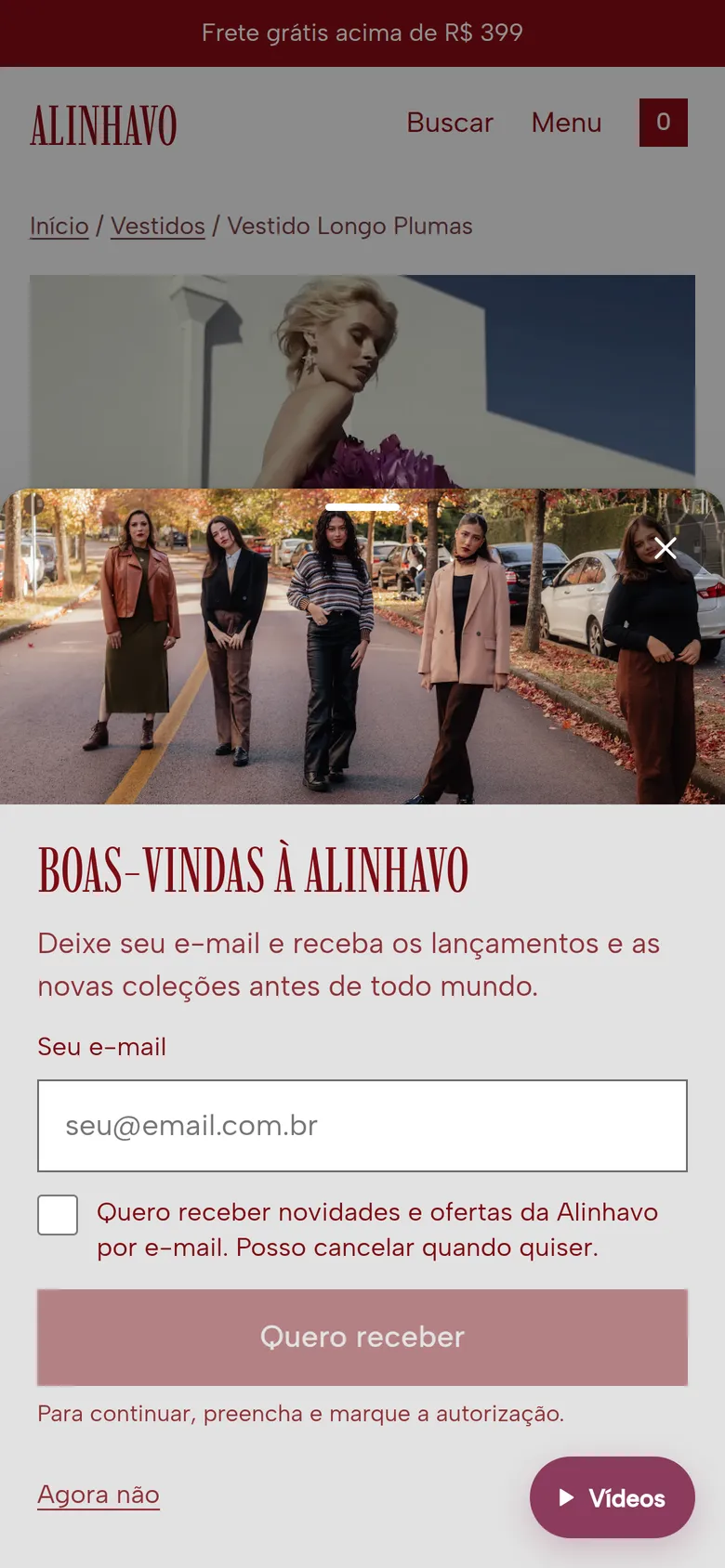
The right popup after the try-on
The try-on, the size finder and Video Commerce are already on your store. Popups use what the shopper did in them to pick the right moment and the right product.
- Tried on, didn’t buy
- Shoppers who generated a try-on and left without buying see their own photo, their size and a discount.
- Found your size
- After the size finder, the garment shows up already in the right size, with a coupon.
- Watched the video
- Shoppers who watched a product video get the garment from the video, ready to buy.
Sold out? Show similar items
Shoppers who open an out-of-stock product see similar items that are in stock, with photo, name and price, instead of leaving the store.
- Similar items, in stock
- Provei picks products from the same category or with shared tags and a close price, and leaves out anything also sold out.
- Let me know when it’s back
- When nothing similar is in stock, the shopper can leave an email or WhatsApp number. The contact shows up in Clientes with the product they want. Provei sends no message: the store decides what to do.
For now, the sold-out popup works on Nuvemshop stores.
In your store’s style
Each popup picks a format and a style. Colours, font and corners come from your store’s Aparência settings, and you can change everything in the editor.
- Popup
- In the centre of the screen. On phones it becomes a sheet that rises from the bottom.
- Corner card
- A card in one corner that leaves the page visible.
- Bar
- At the top or bottom, for free shipping and promotion countdowns.
- Reopen tab
- Shoppers who closed the popup can open it again from a small tab on the screen.
Three styles
- Editorial A large photo beside the text. The default.
- Essencial A clean card with just text and a button.
- Promo For offers and coupons up front.
From goal to live in four steps
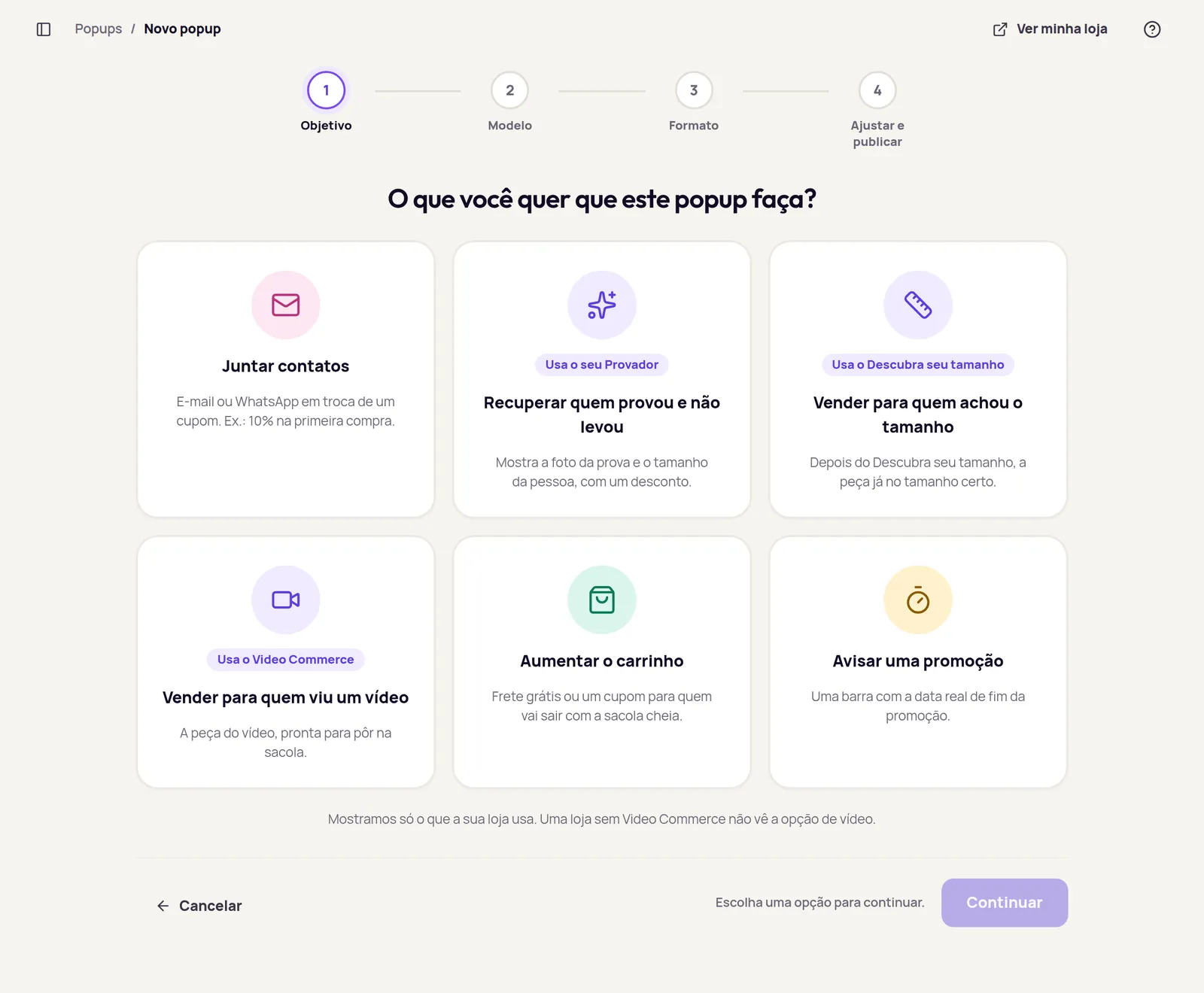
The dashboard asks what you want the popup to do and suggests a template and a format. You adjust the text, the rules and the coupon afterwards.
- Goal Collect contacts, win back shoppers who tried on, sell to those who found their size or watched a video, grow the cart or announce a promotion.
- Template One of the ready-made templates, or a popup from scratch.
- Format Popup, corner card or bar.
- Adjust and publish Text, trigger, audience and frequency. Nothing changes on the store until you publish.
Before you publish
- Generate copy with AI
- Title and text suggestions for the popup.
- Test on my store
- Opens the popup on your store for you only, before it goes live.
- Simulate a visit
- Shows which popups would appear in a visit, and in what order.
Without crowding the screen
A few rules apply to every popup on the store, with nothing for you to set up.
- One at a time
- At most one centre or corner popup per page and two per visit. Bars don’t count.
- A pause after closing
- When a shopper closes a popup, no other one opens for the next 10 minutes.
- Never on top
- A popup never opens over the try-on, the video player or one of the store’s own windows.
- Consent first
- The consent box starts unchecked. Contacts go to Clientes and, if you like, to your own system through a signed webhook.
- Coupons under control
- One fixed code or a CSV list, with a different code for each contact.
What each popup brought in
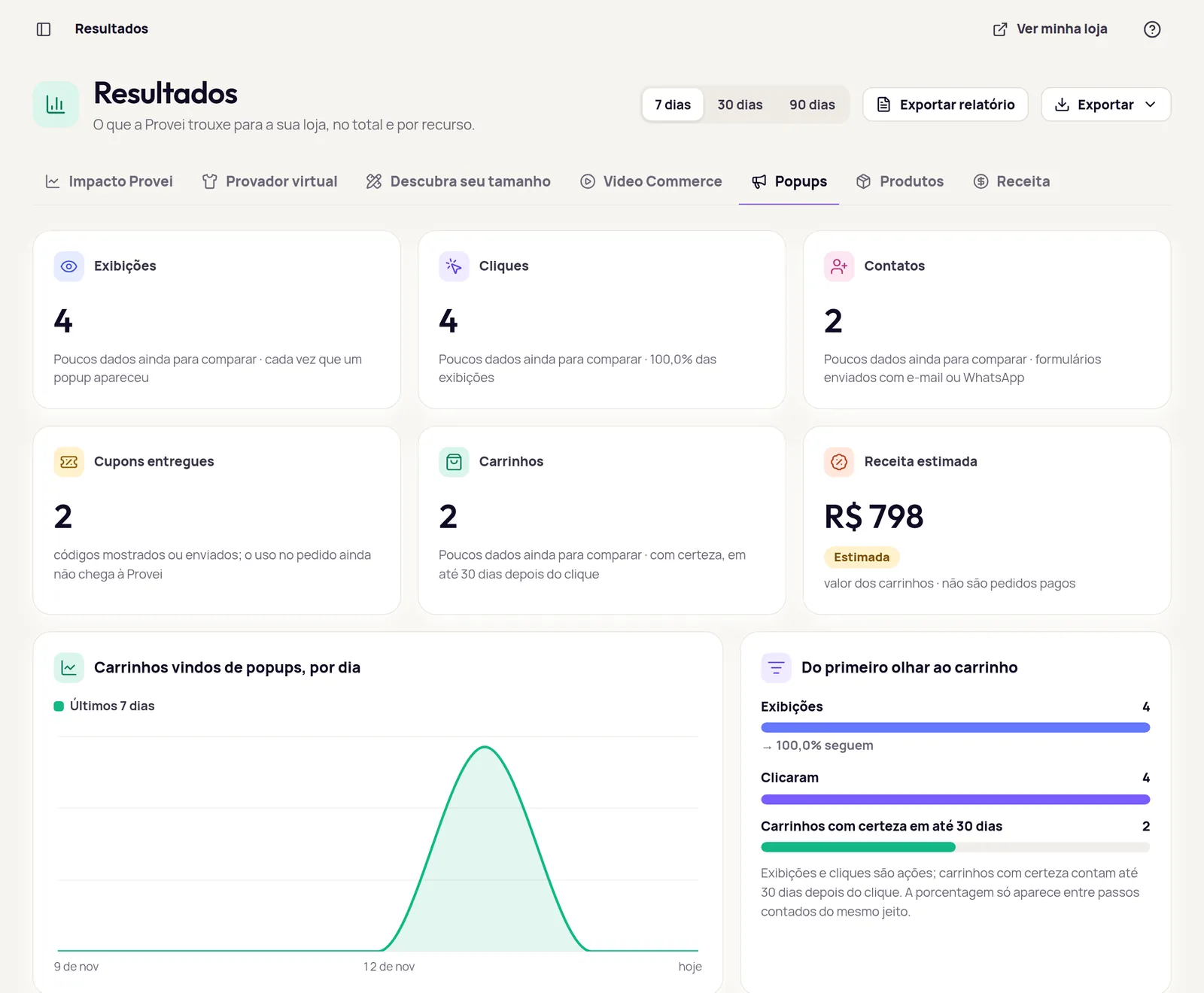
The Popups tab in Resultados follows the path from first look to cart, per popup and in total, over 7, 30 or 90 days.
- Views
- Each time a popup appeared.
- Clicks
- Shoppers who tapped the button or the product.
- Contacts
- Forms sent with an email or WhatsApp number.
- Coupons given
- Codes shown or sent.
- Carts
- Counted only when they surely came from the popup, within 30 days of the click.
- Estimated revenue
- The value of those carts. They are not paid orders, and the dashboard says so.
From R$ 59 a month
Popups is sold on its own, by store page views a month, billed in Brazilian reais. It uses no AI credits.
- 2 months free on the annual plan.
- At the limit, popups pause until the 1st of the next month. Nothing extra is charged.
- The try-on invite keeps running and is not counted.
- The Provei team activates Popups and changes your plan.
- Up to 50k page views R$ 59 /month
- Up to 250k page views R$ 149 /month
- Up to 750k page views R$ 349 /month
- Above 750k page views Enterprise, priced with you
Frequently asked questions
Do I need to install another code on my store? No. Popups use the same Provei code that already brings the try-on and the other products.
Do I need the try-on to use Popups? No. Welcome, WhatsApp club, Before you leave, Free shipping, Promotion countdown and Sold out work without the other products. The Tried on, Found your size and Watched the video templates appear for stores that use the try-on, the size finder or Video Commerce.
What counts as a page view? Each store page a visitor opens while Popups is active. The dashboard shows the month’s usage under Plano e uso.
What happens if the store goes over the limit? Popups pause until the 1st of the next month and nothing extra is charged. To keep going before then, ask the Provei team for a bigger plan.
Does “Let me know” message the shopper when the product is back? No. It saves the shopper’s email or WhatsApp number in Clientes, with the product they want. The store decides whether and how to tell them.
Does the sold-out popup work on every platform? Not yet: today it works on Nuvemshop stores.
Can I see the popup before publishing? Yes. The editor shows a preview, and “Test on my store” opens the popup on your store for you only. Until you publish, nothing changes for shoppers.
How do I turn it on? Talk to the Provei team on WhatsApp or book a demo. We activate Popups and set up your plan.
Want to see it on your store?
We turn Popups on, pick the first templates with you and show you the numbers in Resultados.