See the recommended size beside an alternative
Use the recommended size as a natural anchor and compare a closer or looser option visually.
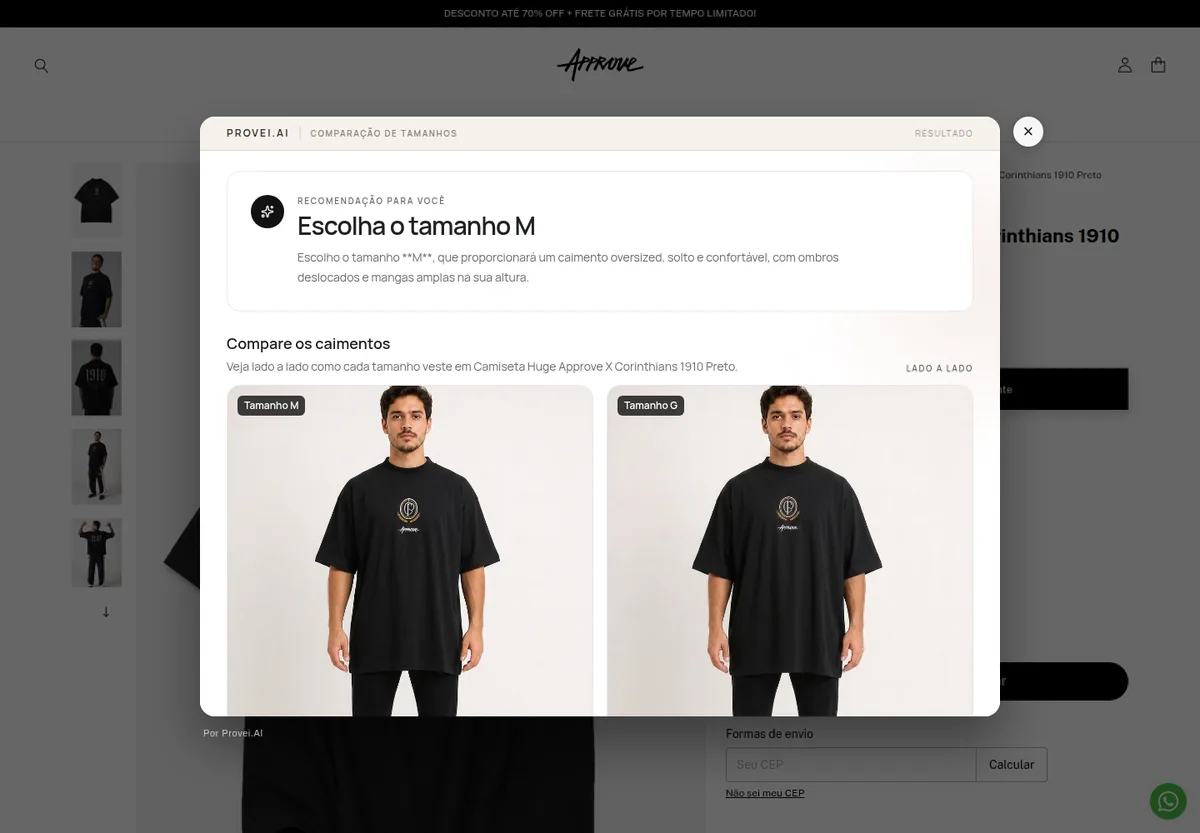
Live Provei.AI experience at Approve.
What it solves
A clear benefit at every purchase decision.
Compare the recommended size with another option and see fit differences side by side.
How it works
From context to the next step.
-
Receive the recommendation
The suggested option is marked as the primary reference.
-
Choose an alternative
The customer selects another available size to compare.
-
Compare the fit
See both options side by side and compare fit differences.
Best fit
Who this experience is for
- Categories where customers weigh two sizes
- Brands with consistent grading
- Stores that already offer size recommendations
Plan your experience
Start with what your store needs
During the demonstration, we define the categories, required data, integration, experience limits, and review steps.
Talk to a specialistFrequently asked questions
What you need to know.
Why does comparison start with the recommended size?
The recommendation provides a natural reference. Without that anchor, two side-by-side options can increase uncertainty instead of reducing it.
Does comparison perfectly reproduce physical fit?
No. The visualization is AI-generated and should be treated as support. Fabric, construction, personal preference, and garment variation remain relevant.
Keep exploring
Products that work together
Size Recommendation
Combine the data requested by the brand with the configured fit to suggest the most compatible size.
View productSize Chart
Present the product size chart in a structured way and connect the chart to Provei.AI’s other sizing experiences.
View productFashion Virtual Try-On
Combine a customer photo with the garment reference to create a fashion visualization connected to the product page.
View productGuided demonstration
See Size Comparison in the context of your operation.
Tell us what your store sells and see how this experience can support your customers.